UK's No. 1 Cisco & Meraki Authorised Partner and Supplier


Cloud Appliances UK. Published 21 October 2026. Prices and lead times change often, so check the date on any quote you rely on.
Quick answer: To check a Cisco quote or shopping list before you order, confirm that every device has the right licence and term, power supply and UK power cord, uplink modules, stacking cables, optics, and support contract. Check that the PoE budget covers your devices, licences are assigned to the correct Smart Account, and the quote states its price validity, availability and delivery terms in writing. Cloud Appliances UK, a Cisco and Meraki specialist since 2008, will verify a shopping list for free through its online Cisco and Meraki quote service.
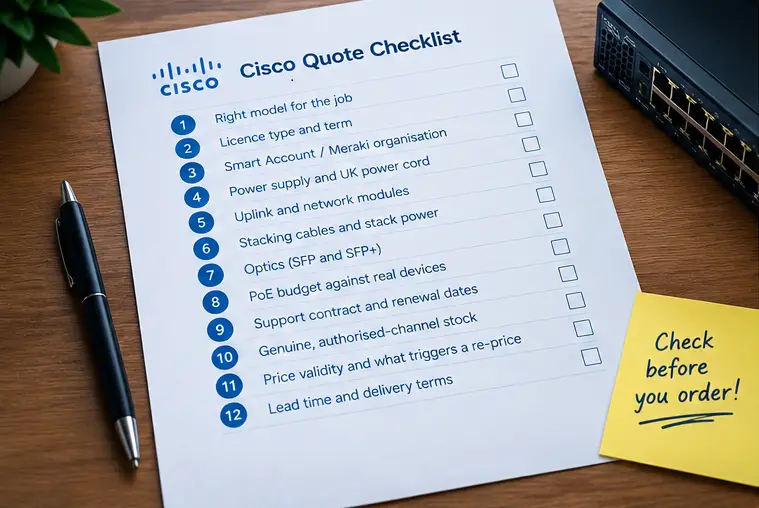
Cisco quotes are easy to get wrong because one switch, firewall or access point is rarely a single part number. It is hardware, plus a licence, plus optional modules, plus support. Miss one line and the project can stall on the day the box arrives.
Pricing is also moving. On its fiscal Q2 2026 earnings call, Cisco said it had raised hardware prices to cover higher memory costs and was revising contractual terms with channel partners and customers (The Register, 12 February 2026). Cisco has not published one percentage that covers every product, so the price-list revision named on your quote is what counts. A reseller summary of these changes (Uniqcli, updated 4 September 2026) advises getting the quote number, revision, issue date and expiry in writing, and asking what event locks the price.
For UK buyers, the practical result is simple: a quote that was right last quarter may not be right now, and a wrong line costs more to fix after the order than before it.
A correct list has one row per part number with quantity, licence, term, power, modules, cables, optics and support. Use the table below as a template, then work through the 12 checks.
| Line type | What to confirm | Typical mistake |
|---|---|---|
| Hardware | Exact model and port count | Ordering a 24-port model when 30+ ports are needed after growth |
| Licence | Edition, term, correct account | Hardware ordered with no licence line |
| Power | PSU wattage, UK cord | Non-UK cord or undersized PSU |
| Modules | Uplink module for the switch family | Uplink ports assumed to be built in |
| Cables | Stack and fibre cables | Stack cables missing |
| Optics | Matching SFP type and fibre | Multimode optic on single-mode fibre |
| Support | Contract level, term, serial coverage | Support not attached at order |
Check port count, speed, PoE, uplink speed and management style (Catalyst on-box or Meraki cloud). If you are still choosing a platform, read our comparison of Cisco smart switches first. Leave 20 to 30 percent spare ports for growth, because swapping a switch later costs more than buying the larger one now.
Meraki devices need an active licence to stay managed. Catalyst 9000 switches are ordered with a network licence edition (Essentials or Advantage) and, for the subscription features, a DNA term, typically 3, 5 or 7 years. Check that the edition and term match what you intend to use. Confirm the exact SKUs against the current Cisco ordering guide, because licensing models are changing.
Cisco licences are tied to an account. A licence delivered to the wrong Smart Account or Meraki organisation is slow to move. Confirm the account name and Virtual Account before the order, and keep a note of who owns it in your company.
Many Cisco switches and routers have configurable power supplies. Check the wattage against your PoE load and make sure the UK power cord option is on the quote. A cord for the wrong country is a classic delay on installation day.
On some Catalyst families, uplinks are a separate module. On others, they are fixed to the model variant. Do not assume. Read the ordering guide for the exact part number and check the quote line for the uplink module.
Stacking several switches needs the right stack cables for the model, and sometimes a stack power kit. They are cheap, easy to forget, and can block the build if missing.
SFP and SFP+ modules must match the fibre (multimode or single-mode), the distance and the speed at both ends. Check the other end of the link too, not just the Cisco side. Third-party optics may work but can raise warranty and support questions, so decide on purpose.
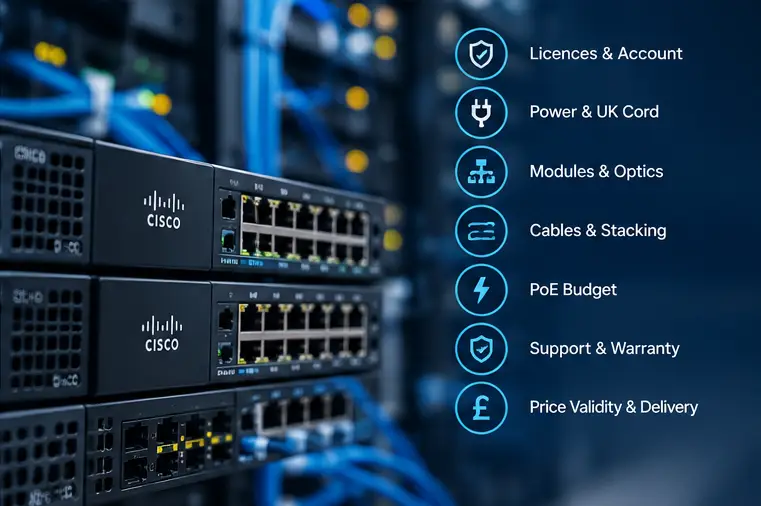
A 48-port PoE switch cannot power 48 devices at 15.4 W each, which would need about 739 W. Add up the actual draw of your access points, phones and cameras (IEEE 802.3af, 802.3at and 802.3bt classes differ) and compare it to the switch’s PoE budget with the chosen power supply, not just the port count.
Support is normally bought against serial numbers, and it should start at delivery. Ask for the contract level, term and renewal date in writing, and diarise the renewal.
Grey-market or unauthorised refurbished equipment can come with no valid warranty and licence entitlements that do not transfer. Cloud Appliances UK sources Cisco hardware through official distribution channels only. Ask any supplier the same question and get the answer in writing.
Ask whether the price is held until you accept, until Cisco books the order, until stock is allocated, or until shipment. Ask whether a shipment delay can trigger a re-price. If your internal approval will finish after the quote expires, request a refreshed quote early rather than late.
Ask for a stock status per line, not a single estimate for the whole order. One backordered module can hold up a whole project, so ask if an in-stock alternative exists. At Cloud Appliances UK, eligible in-stock hardware ordered before 2pm can be delivered next business day in England; see the delivery information page for current terms.
Yes. Send your list or draft quote through the Cisco and Meraki online quote form. An engineer reviews it for missing licences, power, modules, cables and optics, and tells you what to add or remove. Cloud Appliances UK is a Cisco Premier Integrator and Select Partner, holds ISO 9001, ISO 27001 and Cyber Essentials Plus credentials, and provides design, configuration and support if you need more than hardware.
It suits UK IT managers, MSPs and procurement teams buying Cisco Catalyst, Meraki or Secure Firewall equipment. It is not a substitute for a network design. If you are unsure which model you need, ask for design help before you build the list. Our consulting and procurement services article explains how that works, and our article on understanding firewall costs covers the firewall side.
Yes. Send the list to Cloud Appliances UK and an engineer will check models, licences, power, modules, cables, optics and support before you order.
It depends on the exact part number and current stock. Ask for stock status per line and an in-stock alternative for anything on backorder. Eligible in-stock orders placed before 2pm can ship for next business day delivery in England.
Hardware, licence and term, power supply and UK cord, modules, cables, optics, support, price validity, stock status and delivery terms.
Cisco has adjusted hardware prices and revised terms with channel partners during 2026, so suppliers are often holding prices for shorter windows. Ask what event locks the price.
It can carry warranty and licence risk. Buying from an authorised partner that sources through official channels reduces that risk.
Yes. Meraki devices need an active licence to remain managed, so every device on the quote needs a matching licence line.
Have a draft list? Send it to Cloud Appliances UK for a free check before you place the order.